How to Download a Product After Purchase
Guide for Quick Fix by Support Team
Downloading your purchased product is easy! Just follow the steps below based on your purchase type:
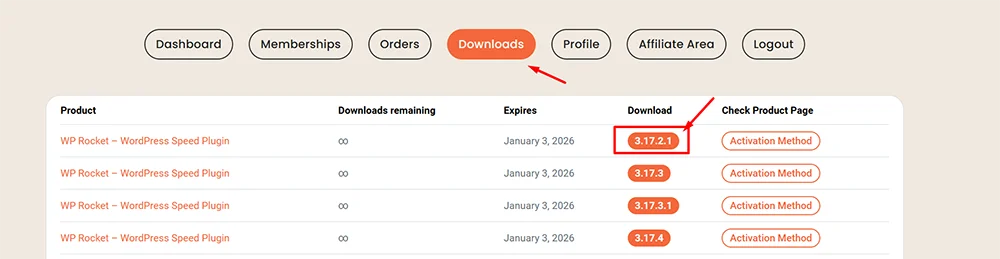
For Single Product Purchases:
- Go to your My Account → Downloads page.
- In the Downloads column, click the orange version number button to start the download.
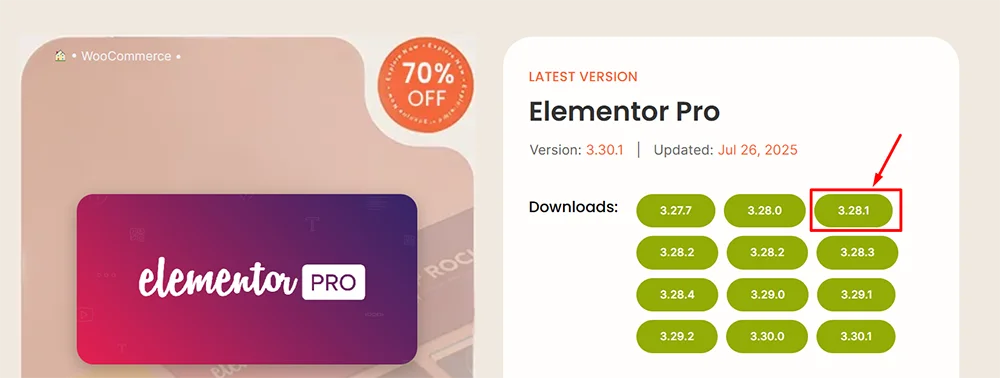
For Membership Users:
- Visit the product page of the item you want to download.
- Click the green version number button to download instantly.
If you face any issues with downloads, feel free to contact support!
