OpenPOS Free Download
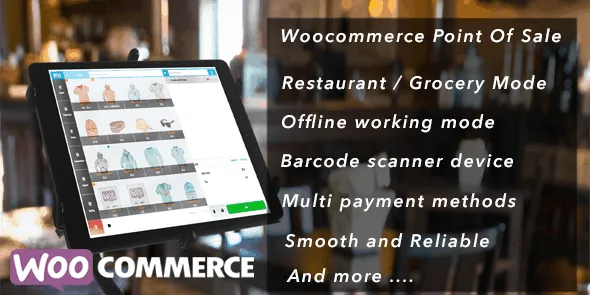
OpenPOS is a powerful WordPress plugin that is used by many retailers, cafes, restaurants, salons, or rental businesses to operate their online stores seamlessly. It works with barcodes, scanners, cameras, cashiers, and kitchen/customer displays to empower your website’s POS desktop or Progressive Web App. OpenPOS syncs sales, inventory, customer data, and receipts in real time between in-store transactions and your WooCommerce backend. It removes manual reconciliation and works to prevent overselling. It also supports offline mode, so sales continue even without internet connectivity and sync when the connection is restored.
OpenPOS provides enterprise-grade features like multi-register, multi-warehouse/outlets, dine-in and restaurant ordering modes, digital scale barcode integration, receipt customization, split payments, and full refunds or exchanges. You can also download OpenPOS for free without spending a single penny.
Key Features
- Real-Time Inventory Sync: Updates WooCommerce inventory immediately and avoids overselling to maintain accurate stock across channels.
- Barcode & Camera Scanning: Works with all barcode scanners and camera-based scanning. Supports scale-generated barcodes and digital scale integration.
- Multi-Register & Multi-Outlet Support: Tracks tills, cashier login, location, timestamps, and IP.
- Restaurant & Grocery Modes: Dedicated dine-in and takeaway modes including table management and kitchen/customer display.
- Offline Mode with Sync: Continues orders, inventory updates, and transactions without internet and syncs automatically when connection returns.
Steps to Download OpenPOS from GPLChimp
- Visit GPLChimp and search for OpenPOS.
- Navigate to My Account → Downloads
- Download the OpenPOS
- Log in to your WordPress dashboard
- Go to Plugins → Add New → Upload Plugin
- Select the ZIP file and click Install Now
- Activate the plugin and navigate to its settings to begin setup
FAQs
Is OpenPOS free?
OpenPOS is completely free without any recurring fee. You can download it for free from GPL Chimp official website.
Does OpenPOS work offline?
It works both offline and online. Whenever internet disconnects, it keeps on continue accepting orders and sync back to WooCommerce once connectivity is restored.
What types of businesses can use it?
OpenPOS is ideal for retailers, grocery stores, cafes, restaurants, salons, rental services and multi-outlet setups.
Changelog for OpenPOS
Version 8.5.0 – Oct 18, 2026
- Fixed duplicate transaction when open multi tab
- Improvement code
Version 7.3.1 – 25/03/2025
- Add tools to remove product cache
- Improvement report
Version 7.2.4 – 07/03/2025
- Speedup download product
- Improve admin POS page
- Add shipping icon for shipping order at order list
Version 7.2.2 – 24/02/2025
- Update variation cart item / table item
- Improve speed download product list
- Fixed bug report by customers
Version 7.1.4 – 23/01/2025
- Fixed bug report by customers