WP Sheet Editor Free Download
WP Sheet Editor is an advanced WordPress plugin that is used by many website developers to manage and edit website content like dozens, hundreds, or thousands of posts, products, users, or custom fields. It reduces the need for waiting for the page to load, update, and repeat the process for every item to edit it. WP Sheet Editor allows you to edit posts in bulk including WooCommerce products, custom post types, taxonomies, users, and ACF fields by changing your WordPress admin area into a real-time, Excel-like spreadsheet interface. It also saves the users from opening each item one by one, letting them search, filter, sort, and edit multiple entries at once.
WP Sheet Editor allows users to update titles, descriptions, categories, SEO fields, prices, stock quantities, custom fields, and even custom post meta in a matter of seconds. You can download WP Sheet Editor for free without investing $499 annually.
Key Features of WP Sheet Editor
- Spreadsheet Interface for All Post Types
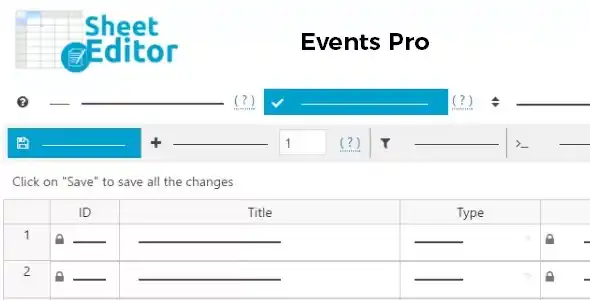
WP Sheet Editor creates a spreadsheet interface for all post types including WooCommerce products, custom post types like Events, Courses, Jobs and Portfolios to edit them on a single screen. - Advanced Bulk Editing
Users can also do advanced bulk editing such as Change all stock statuses to “in stock”, set new categories for hundreds of posts, replace specific words in product titles etc to support powerful filters. - Edit Custom Fields and ACF Data
WP Sheet Editor supports custom fields (post meta) and Advanced Custom Fields (ACF) to view and update ACF field values in the spreadsheet and also add new values to fields in bulk. - WooCommerce Product Editing
WP Sheet Editor allows users to perform WooCommerce Product editing like you can update product titles, prices, stock levels, sale dates, schedules, images and descriptions to maintain large product catalogs. - Import and Export via CSV
WP Sheet Editor integrates with CSV to import and export any post type while preserving IDs and formatting.
Steps to Download WP Sheet Editor from GPL Chimp
- Visit GPL Chimp official website
- In the search bar, type “WP Sheet Editor”
- Click Download to get the plugin ZIP file
- Click Install
- After installation, click Activate
FAQs
1. Can WP Sheet Editor handle custom post types?
Absolutely! WP Sheet Editor can handle all custom post types such as “Jobs,” “Courses,” “Events,” or “Projects.
2. Is WP Sheet Editor compatible with WooCommerce?
Absolutely! WP Sheet Editor is fully compatible with WooCommerce. It supports all WooCommerce fields including price, stock, categories, variations, downloadable files, shipping classes, and many more.
3. Is WP Sheet Editor free or paid?
WP Sheet Editor is a paid plugin. But you can get this plugin for free, if you download WP Sheet Editor from GPL Chimp official website.
Changelog for WP Sheet Editor
Version 1.1.41 – Oct 21, 2026
V 1.0.1 – 11/08/2016
FIX: when saving posts in the spreadsheet, the post ID is wrong.
FIX: when saving posts, the modal on the front-end doesn´t show the right number of posts to be saved.
FIX: when editing a “single image upload” cell, we get a JS error.
V 1.0.0 – 11/08/2016
Initial release.