WP Sheet Editor Free Download
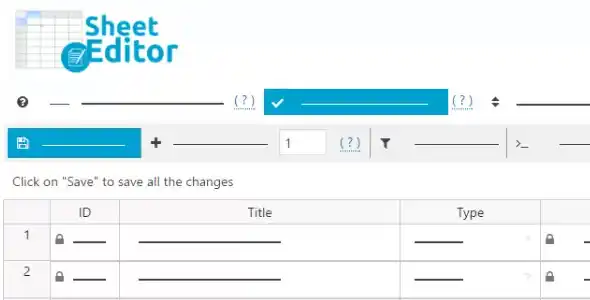
WP Sheet Editor is a powerful plugin designed to manage your WordPress products with ease using a familiar spreadsheet-like interface. Whether you’re dealing with thousands of products or just a few dozen, it transforms your product management into an intuitive, Excel-style workflow.
You can edit product titles, prices, SKUs, stock, dimensions, categories, and more — all in one place. This eliminates the need to open each product individually, saving hours of work. At GPL Chimp, you can download WP Sheet Editor for free — no need to spend $499 annually.
Key Features of WP Sheet Editor
- Intuitive Spreadsheet Interface: View and edit titles, descriptions, SKUs, stock, categories, custom fields, and more in an Excel-like sheet directly within WordPress.
- Advanced Search & Filters: Easily filter by title, stock, category, attribute values, or price range — ideal for bulk edits and seasonal promotions.
- Bulk Editing: Quickly increase/decrease prices, set stock levels, or assign categories across hundreds of products with just a few clicks.
- Duplicate Products: Instantly create multiple product duplicates — ideal for launching variations or similar items.
- Advanced Variation Management: Edit product variations like attributes, SKUs, and prices directly in the sheet — no need to open each variation manually.
Steps to Download WP Sheet Editor from GPLChimp
- Visit GPLChimp and search for “WP Sheet Editor”.
- Download the ZIP file for WP Sheet Editor – WooCommerce Products.
- Login to your WordPress admin dashboard.
- Go to Plugins → Add New → Upload Plugin.
- Choose the downloaded ZIP file and click Install Now.
- Click Activate Plugin after installation.
Frequently Asked Questions
Can I edit custom fields or third-party plugin fields?
Yes. WP Sheet Editor automatically detects all custom fields, including those added by ACF, MetaBox, Toolset, etc., allowing you to edit them alongside default fields.
Is WP Sheet Editor compatible with multilingual sites?
Absolutely. It supports WPML and Polylang, and lets you edit translated content without affecting language configurations.
Is WP Sheet Editor free or paid?
While WP Sheet Editor normally requires a paid license, you can download and use it for free from GPL Chimp without spending anything.
Changelog for WP Sheet Editor
Version 2.27.1 – Oct 21, 2026
- CHANGE – ACF – Minor improvements
- CHANGE – CORE – UI improvements
- FIX – WPML – The filter “translation missing in language” is not working for languages with dialects
- FIX – WC Products – Small bug fixes
- FIX – CORE – General bug fixes
Version 2.25.17 – 2025-01-28
- CHANGE – FORMULAS – Allow to reference columns by name and not just by key
- CHANGE – CORE – Minor UI improvements
- CHANGE – CORE – Updated freemius sdk
- FIX – WC Products – Bug fixes related to exports and imports
Version 2.25.16 – 2025-01-07
- CHANGE – WPML – Improve the UI
- CHANGE – WC Products – Import – Show more columns to match existing products
- CHANGE – BULK EDITS – Improve UI
- FIX – WC Products – A column couldn’t be renamed
- FIX – FORMULAS – It only removes one taxonomy term when we select multiple to remove
- FIX – WC Products – Small bug fixes
- FIX – CORE – A dropdown used by Gutenberg is not working
Version 2.25.15 – 2024-10-26
- CHANGE – CORE – Performance improvements
- CHANGE – WC Products – General improvements
- CHANGE – ACF – Improve the relationship saving
- FIX – YOAST – Wrong values in columns of post type when a taxonomy uses the same key as the post type
- FIX – WPML – Wrong language when running scheduled tasks
How to Install & Update GPL Plugins & Themes
Important Note
Unzip the file downloaded from our website before use. The zip file may include additional files like templates or documentation. Ensure you upload the correct file for installation.
How to Install Plugins
- Download the latest
.ZIP file from GPL Chimp. - Log into your WordPress dashboard.
- Navigate to Plugins > Add New.
- Click Upload Plugin at the top.
- Select the plugin’s zip file.
- Click Install Now to complete the process.
How to Install Themes
- Download the latest
.ZIP file from GPL Chimp. - Extract the zip file if required; ensure the main theme and child theme are accessible.
- Log into your WordPress dashboard.
- Go to Appearance > Themes.
- Click Add New, then Upload Theme.
- Select the theme’s zip file.
- Click Install Now to complete the installation.
Access Older Plugin/Theme Versions
Our website also hosts older versions of plugins and themes. You can use these to test compatibility with your website or roll back to a previous version in case of bugs or compatibility issues.
License Warnings
If the theme/plugin prompts for a license, you can safely ignore it. We provide pre-activated products using legal keys purchased for your use.
Updating to a New Version
When updates are available, you’ll find the latest versions in your My Account > Downloads section and for Membership customers Download files are available of product pages.
Fixing “Destination Already Exists” Error
- Delete the current version of the theme/plugin from your site before installing our premium version to avoid conflicts.
- Alternatively, install the Easy Theme and Plugin Upgrades plugin to resolve this issue effortlessly.
GPL Chimp ensures you have all the tools and support you need for seamless installations and updates!
For any installation or technical-related queries, Please contact via Live Chat or Support Ticket.