AutomateWoo Free Download
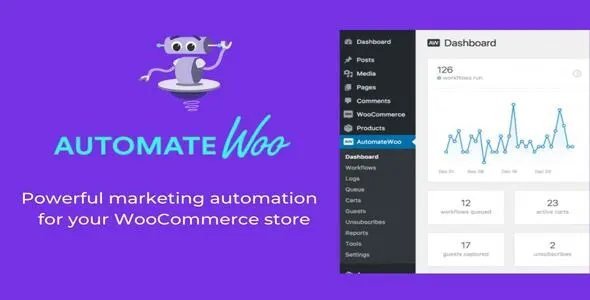
AutomateWoo is a powerful plugin that is designed particularly for WooCommerce businesses. It increases the engagement of customers and sellers by automating different marketing tasks. It also provides customized emails to customers and increases its engagement by giving them special offers and discounts. These personalized emails create interesting customer behaviors and response towards sellers. Customers feel valued and their review increases the search ranking of websites.
Download AutomateWoo from GPL Chimp official website for free and make your customers feel valued and appreciated.
Key Features
- Follow-Up Emails
Send follow-up emails to customers requesting product reviews or recommending new items based on past purchases. - Abandoned Cart Recovery
Recover lost sales by sending automated email reminders to customers who abandon their carts. - Win Back Inactive Customers
Re-engage inactive users by sending personalized emails with offers or messages to bring them back. - SMS Notifications
Automatically notify customers via SMS for order confirmations, shipping updates, and promotions through Twilio integration. - Review Rewards
Encourage customers to leave reviews by offering them rewards and discounts. This builds trust and increases sales.
How to Download AutomateWoo for Free
- Visit GPL Chimp official website
- Download the AutomateWoo plugin ZIP file
- Log in to your WordPress dashboard
- Navigate to Plugins > Add New > Upload Plugin
- Click “Install Now”
- Click “Activate Plugin” after installation
FAQs
Is AutomateWoo compatible with multilingual websites?
Absolutely! AutomateWoo can send emails in multiple languages based on each customer’s language preference.
Is AutomateWoo available for free?
Yes, you can download AutomateWoo for free from GPL Chimp without paying an annual cost.
Does AutomateWoo support SMS notifications?
Yes, it integrates with Twilio to send SMS messages to customers or admins using various triggers.
Changelog
Version 6.9.4 – Oct 20, 2026
- Fix – Compatibility issue with WordPress 6.8 and WooCommerce 9.8 affecting the Manual Runner page
- Fix – Custom note author may overwrite to unrelated notes
Version 6.1.10 – 2025-04-15
- Fix – Variables like “order.date” couldn’t be copied to clipboard
- Tweak – WC 9.8 compatibility
- Tweak – WP 6.8 compatibility
Version 6.1.9 – 2025-04-02
- Add – Option to duplicate workflows
- Fix – Scheduled CSV export for conversion reports after WC 9.8
- Update – Optimize featured workflows for dashboard
Version 6.1.8 – 2025-03-18
- Add – Object caching for key figures on dashboard
- Fix – Filtering workflows in Analytics > Conversions List
- Tweak – Cache manual workflow count
- Tweak – Enhance performance of log query on dashboard
- Tweak – WC 9.7 compatibility
How to Install & Update GPL Plugins & Themes
Important Note
Unzip the file downloaded from our website before use. The zip file may include additional files like templates or documentation. Ensure you upload the correct file for installation.
How to Install Plugins
- Download the latest
.ZIP file from GPL Chimp. - Log into your WordPress dashboard.
- Navigate to Plugins > Add New.
- Click Upload Plugin at the top.
- Select the plugin’s zip file.
- Click Install Now to complete the process.
How to Install Themes
- Download the latest
.ZIP file from GPL Chimp. - Extract the zip file if required; ensure the main theme and child theme are accessible.
- Log into your WordPress dashboard.
- Go to Appearance > Themes.
- Click Add New, then Upload Theme.
- Select the theme’s zip file.
- Click Install Now to complete the installation.
Access Older Plugin/Theme Versions
Our website also hosts older versions of plugins and themes. You can use these to test compatibility with your website or roll back to a previous version in case of bugs or compatibility issues.
License Warnings
If the theme/plugin prompts for a license, you can safely ignore it. We provide pre-activated products using legal keys purchased for your use.
Updating to a New Version
When updates are available, you’ll find the latest versions in your My Account > Downloads section and for Membership customers Download files are available of product pages.
Fixing “Destination Already Exists” Error
- Delete the current version of the theme/plugin from your site before installing our premium version to avoid conflicts.
- Alternatively, install the Easy Theme and Plugin Upgrades plugin to resolve this issue effortlessly.
GPL Chimp ensures you have all the tools and support you need for seamless installations and updates!
For any installation or technical-related queries, Please contact via Live Chat or Support Ticket.