WooCommerce Deposits Free Download
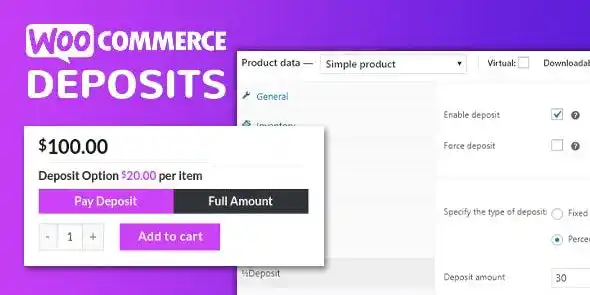
WooCommerce has a great plugin for subscriptions products. It is also very good tool if you are selling services which needs to be renewed every month or week or years. But what if you want to sell physical product and want to charge your user in installments? WooCommerce as such on its own does not provide this function. And for the same they have come up with this great extension called WooCommerce Deposits extension.
This will give you a great new way to offer your customers a great payment solution. Suppose you are selling some high end items and many of your visitors are reluctant just because of the price of item. Now using this extension, you can offer them to buy this item by just paying some small deposit initially. They can pay remainder in equal payments set by you. This is like bank loans and EMI. They can pay you small down payment and remaining amount can be charged in equal recurring payments.
WooCommerce Deposits Extension: How to offer installment Plans
WooCommerce Deposits is a very powerful plugin as it will give you full control. This will allow you to control payment plans like initial deposits, payment term and percentage installments. Furthermore you can add interest on the recurring payment if you wish. Plus you can select which products to have this payment plans which to exclude. It completely fits with existing WooCommerce checkout process and will guide your buyer to checkout giving them all the required information they need.
Currently only Paypal Standard and Stripe are the payment gateways that can be used with WooCommerce Deposits. But in future many more payment gateways will be added to this list.
WooCommerce Deposits: Key Features
Create a payment plan globally or per product
Set down payment and give options of EMI
Set interest rate but it is optional
Fixed or flexible payment duration so customers can choose
Payment frequency can be daily, weekly or monthly
Smooth and intuitive checkout flow and selection of payment plans
Compatible with WooCommerce Subscriptions Plugin, WooCommerce Memberships Plugin & WooCommerce Bookings Plugin
How to Get WooCommerce Deposits for free?
Gpl Chimp provides WooCommerce Deposits for free to help the WordPress community build websites without spending a huge amount. We know how expensive it is to build a website.
Steps to Download WooCommerce Deposits for free:
- Download the file from the link provided above.
- Upload the File in your WordPress website by clicking Add New.
- Choose the ZIP file from your computer and click Install Now.
- Once it is installed, click Activate.
Benefits of Downloading Premium Plugins and Themes from GPL Chimp for Free
GPL Chimp provides WooCommerce Deposits for free so that you can create a stunning website at zero cost. We are one of the best GPL site on the Internet because of the below benefits.
- Free Premium Plugins and Themes: At GPL Chimp, we believe in making premium WordPress and WooCommerce extensions accessible to everyone. WooCommerce Deposits is available for free under the GPL license, meaning you get all the premium features without paying any money.
- Regular Updates: You’ll get constant updates to keep your website secure and up-to-date, all for free.
- Instant Support: You can access our top-notch support from Live chat or send us a ticket.
FAQs
Does it support automatic recurring payments?
No, this plugin does not support automatic charging customer’s credit card or debit card. Instead it sends customer invoice before due date. Majority of payment gateways like Stripe support deposit payments in manual mode.
Does it support WooCommerce Pre Orders Extension?
Yes! It supports WooCommerce Pre Orders Extension.
Does it support WooCommerce Bookings Plugin?
Yes! it works well with WooCommerce Bookings Plugin.
Changelog for WooCommerce Deposits
Version 2.4.8 – Sep 23, 2026
- Allow multiple Accommodation Products in Cart.
- Set “Sold Individually” string for product pages.
- Bump WooCommerce “tested up to” version 9.4.
- Bump WooCommerce minimum supported version to 9.2.
- Bump WordPress “tested up to” version 6.7.
- Bump WordPress minimum supported version to 6.5.